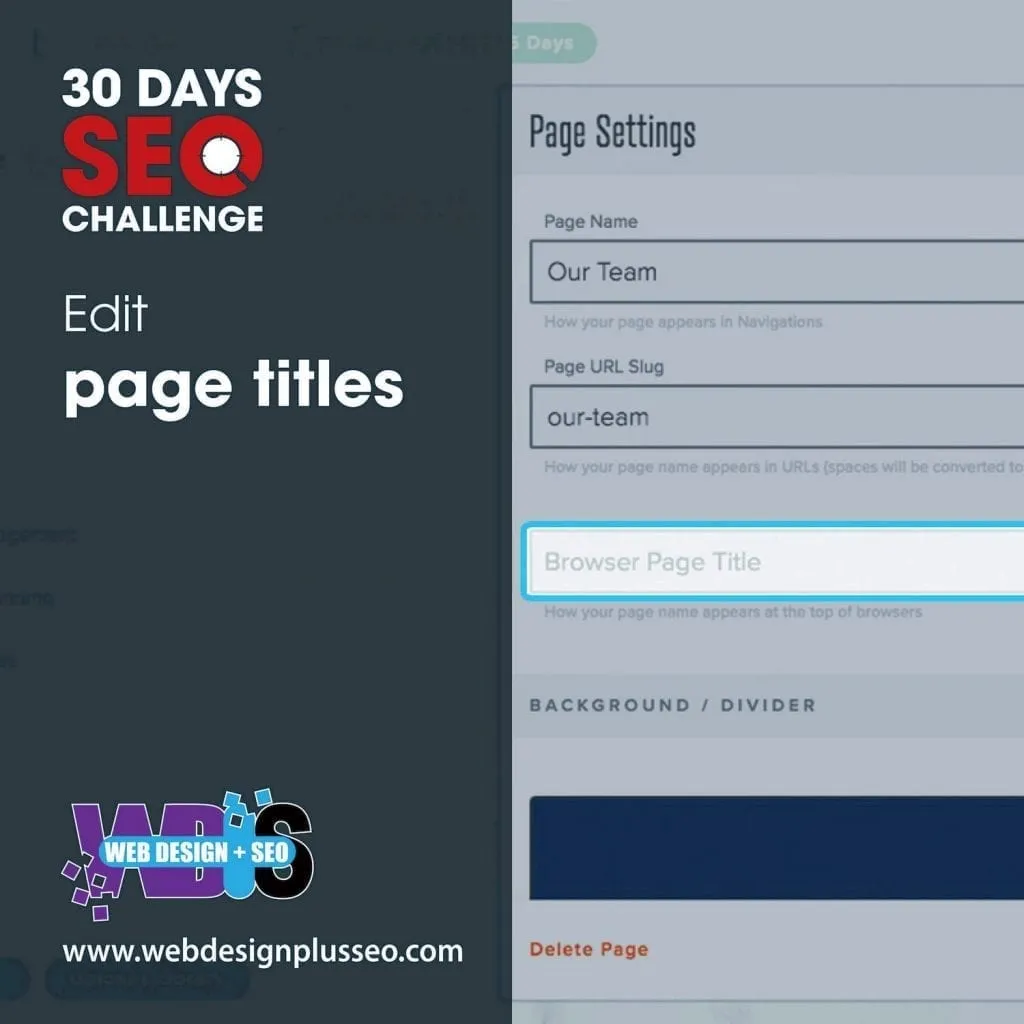
Day 7: Edit Page Title
Now that you know what keyword research is and how important it is, include your keywords in your page title as well. What is page title you ask?
Well, a page title is the main title or text that describes your webpage. It is one of the most important aspects of SEO Strategies. To improve your website’s SEO, include page titles that relate exactly to the webpage content. Including keywords in your page title can help you rank higher in any Google query. Your Page Title should always include your keyword, location, and your company name.

There are some dos and don’ts you should keep in mind while adding your page title:
Dos-
- Use title that gives an accurate description of your page.
- For each different web page, have different and unique titles.
- Titles should be brief but not descriptive.
Don’ts-
- Do not choose any irrelevant page title
- Do not use very lengthy titles (word limit should be 55-60 characters)
- Do not use unnecessary keywords in your title.
You should always consider the following points to make a perfect page title for your page-
- Use high search volume keywords in your title that relates to the content of your page. Do not choose irrelevant keywords.
- The length of the page title should be such that it does not get cut either on mobile search or computer search. It may happen sometimes that Google may cut the title of a page on a computer search but the same title is shown full length on mobile search. Idle length is 55-60 characters.
- The content on the page should be big enough to get your page ranked in Google. The page title is not sufficient enough if you do not have sufficient page content.
- Always use your company name in your title. Add it either in the beginning or towards the end.
- Do not use any special characters in your title as Google will automatically remove them.
- Optimize your page titles in a way that users click on your page. As the pages with more click rate rank better.
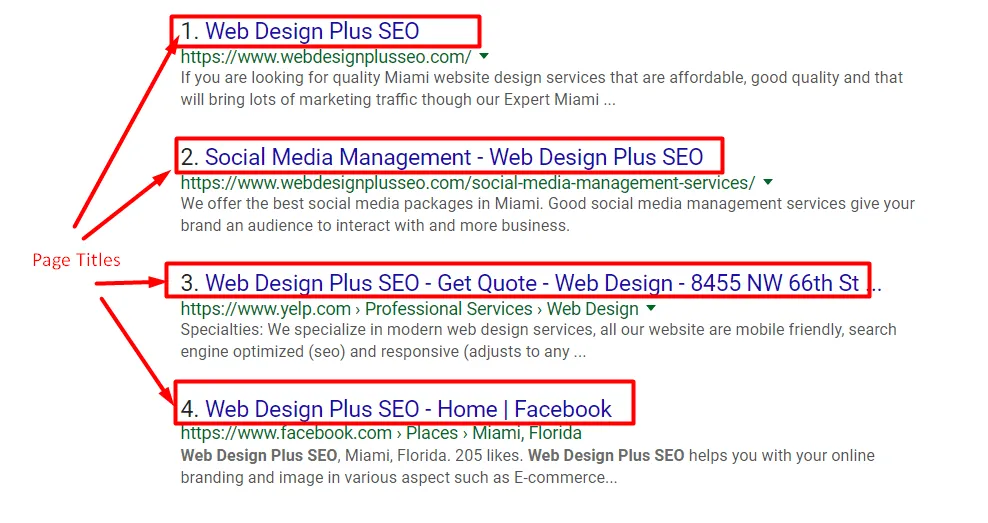
There are many tools that let you check the page titles of any site like-
- Semrush
- SiteBulb Crawler
- DeepCrawl
- Screaming Frog
- SEO Powersuite Website Auditor
The page title of your webpage appears at 3 main places:
- Browser Window– When you open the webpage. the page title shows on the top of the browser window
- Search Results- Your page title appears when the user puta a search query. It is the first point of information about your page content.
- External Website- When you link your website to any external website, such as social media sites, the page title often shows up as the anchor text.
How to edit page title:
There are many web development platforms like WordPress, PHP, Joomla, PHP etc. All of these platforms have different ways of editing page title.
Let us take a WordPress site for example. In your edit page section, you need to have the Yoast Plugin installed. In this plugin, you can edit the page title and description.
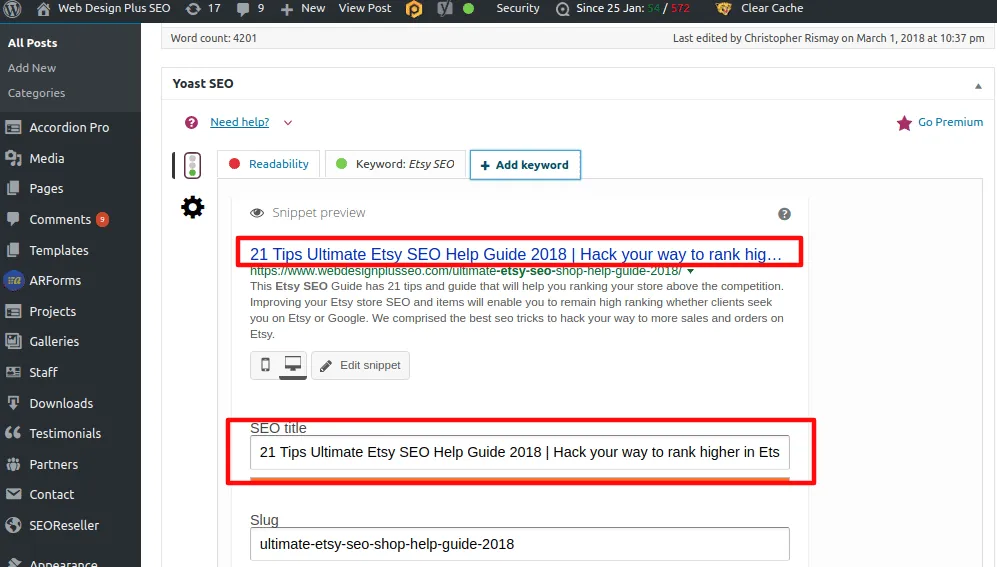
Just click on the Yoast plugin option on your webpage and click on “edit snippet”. There you can enter your desired page title for the page.
In our next day challenge, we will learn about alt tags and image tags.



